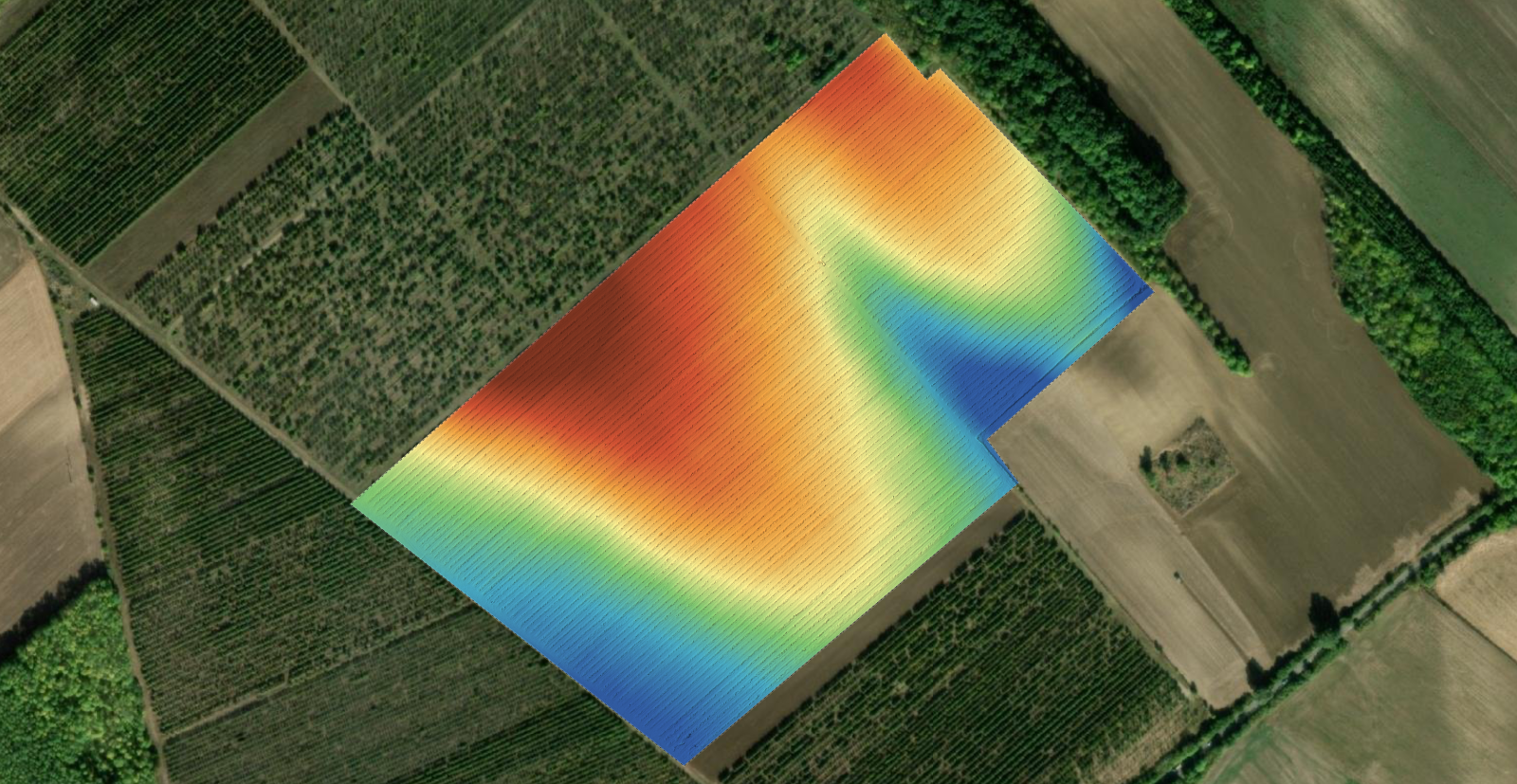
A digital terrain model is the elevation of the bare ground, with every building, tree, vehicle and stockpile removed from it.
The complication is in the word removed. Nothing was physically taken away. Software decided which reconstructed points were ground, deleted the rest, and filled the resulting holes by estimating what the surface underneath probably looked like. Every DTM is part measurement and part educated guess, and the useful skill is knowing which part you are standing on.
Key takeaways
A DTM is derived from the surface model, not measured independently.
Under anything the camera could not see through, the ground is interpolated.
Earthworks, drainage and contours need a DTM. Roofs, canopy and line of sight do not.
It is one of the outputs you select at processing time, so ask for it when you start the job.
How the ground gets separated
Four steps, and each one is a place where things can go wrong.
Reconstruction. Overlapping photos produce a dense 3D point cloud. Everything downstream depends on this being good, which depends on the flight rather than on any setting.
Classification. Each point is labelled ground or not ground, based on local geometry: how much it rises above its neighbours, how sharply, over what distance.
Removal. Everything labelled not ground is discarded, which leaves holes exactly where buildings and vegetation stood.
Interpolation. The holes are filled by fitting a surface across their edges. This is the estimate, and it is invisible in the finished raster.
The output is a single band raster of elevations in metres, the same file type as a surface model, and identical to it on open ground where there was nothing to remove. How the two differ, and how the orthomosaic sits alongside both, is in orthomosaic vs. DSM vs. DTM.
Where ground filtering fails
Six situations, in rough order of how often they cause trouble.
Dense canopy. If the camera never saw the ground, no classifier can find it. The DTM there is interpolated from the edges of the vegetation, across whatever distance that takes.
Large flat roofs. A warehouse roof looks a lot like flat ground to a geometry based classifier. Sometimes it is correctly removed, sometimes it is quietly kept, and a kept roof appears as a plateau of solid ground several metres up.
Stockpile yards. Material heaped on ground blurs the boundary between them. Piles can be classified as terrain, especially the shallow skirts around their edges.
Steep slopes and cuttings. A classifier that assumes ground changes gently will shave the top of a bank or fill the toe of a cutting.
Retaining walls and kerbs. Sharp vertical steps in real terrain get smoothed away, because they look like objects sitting on a surface.
Wide open areas with no ground points at all. Water, deep shadow and reflective surfaces produce holes that get bridged, sometimes across a very long span.
When you need one, and when you do not
The question | Which model | Why |
|---|---|---|
Cut and fill for earthworks | DTM | Volumes against a design surface are a ground calculation |
Where will water run and pond | DTM | Roofs and trees corrupt the flow if left in |
Contour lines for a drawing | DTM | Contours over a tree canopy are meaningless |
Height of a building or stack | DSM | The top of the object is the answer |
Line of sight for an antenna | DSM | Trees and roofs are what block signals |
Volume of a stockpile | Both | The DSM is the material, the base comes from underneath it |
Canopy or building height | Both | Subtract one from the other |
If the honest answer is both, ask for both at the start. It is one flight and one upload either way.
Get the terrain model from your own flight
Upload the photos, select the outputs your job needs, and read the elevations in the browser. The free plan takes up to 150 photos per project.
Start a projectAsking for a DTM on your project
The terrain model is one of the outputs you choose when you set up processing, so it is a decision made at the start rather than something to recover afterwards. Two practical notes.
Select the surface model alongside it whenever the job involves volumes or object heights. Comparing the two is also the fastest quality check you have, and you cannot do it with only one of them.
Fly a buffer of clean, open ground past the area of interest. Ground classification works from the terrain it can find, so a site flown edge to edge with no bare ground at the boundary gives the classifier nothing to anchor on. That buffer is also what a volume measurement needs, for the same underlying reason, as set out in the stockpile volume workflow.
Frequently asked questions
Can I trust DTM values under trees?
Treat them as an estimate. Under a closed canopy the camera never reached the ground, so the values come from interpolating between whatever ground points exist at the edges of the vegetation. Say so explicitly when the terrain there matters to a decision.
Is a DTM the same as a DEM?
In everyday use most people mean bare earth when they say DEM, so the terms overlap. Because DEM is ambiguous, label deliverables DSM or DTM explicitly and add one line saying which it is. That sentence prevents most of the confusion this article is about.
My DTM has a plateau where a building was. What happened?
The roof was classified as ground. It is a common failure on large flat roofs, because a geometry based classifier sees a broad level surface and has no way to know it is five metres up. Check any flat roofed structure on site before delivering contours or drainage work.
Do I need a DTM to measure a stockpile?
You need a base surface under the material, and a terrain model is one way to get it. In the viewer the volume tool fits a plane to the ground around the boundary you draw, which is why that boundary has to sit on clean ground all the way round.
The habit worth keeping is a single question at the start of every job: is this about the ground or about what is standing on it. Answer that before processing, select the outputs accordingly, and the terrain model stops being a file you open hoping for the best.