Before choosing 3D mapping software, ask what needs to happen after the model opens. Do you need to inspect a structure, take measurements, work with terrain elevations or present a realistic view of a property? A product demonstration may look suitable for all four, while the files and tools behind it serve only some of them.
For drone surveys, three common outputs are a point cloud, an elevation model and a textured mesh. A platform may produce several, but the phrase “3D mapping” alone does not tell you which ones you will receive.
Start with a task you can test
Imagine three people reviewing the same warehouse survey.
The maintenance team wants to inspect the building from different angles and discuss a particular roof feature. The site engineer needs elevations around the yard. The marketing team wants a textured model for a presentation.
They may all ask for a 3D model. Before processing, turn each request into a test: can the reviewer see the feature clearly, can the engineer obtain the required elevation data, and can the presentation software open the textured file?
Intended job | Output worth checking | A useful acceptance test |
|---|---|---|
Inspect reconstructed geometry and take spatial measurements | 3D point cloud | Rotate the scene and check whether both measurement endpoints are represented |
Work with surface or terrain elevations | DSM or DTM | Open the elevation raster and inspect the surface relevant to the task |
Present a continuous photographic model | Textured mesh | Import a sample into the intended presentation or 3D application |
This is a starting point, not an exclusive rule. A mesh can support measurements, for example, provided its geometry is suitable and checked. The appearance of any output is not enough to establish its measurement quality.
What to inspect in a point cloud
A point cloud represents reconstructed positions in three dimensions. The detail you need must actually be present: a dense roof does not demonstrate that the cameras also captured the walls or the area beneath an overhang.
With MapperTool, you can request a 3D point cloud, open it in the browser and rotate the view to inspect the reconstruction. The viewer offers RGB, elevation and classification colouring, along with point size and point budget controls. These help you examine the data and adjust display performance. See the point cloud viewer documentation.
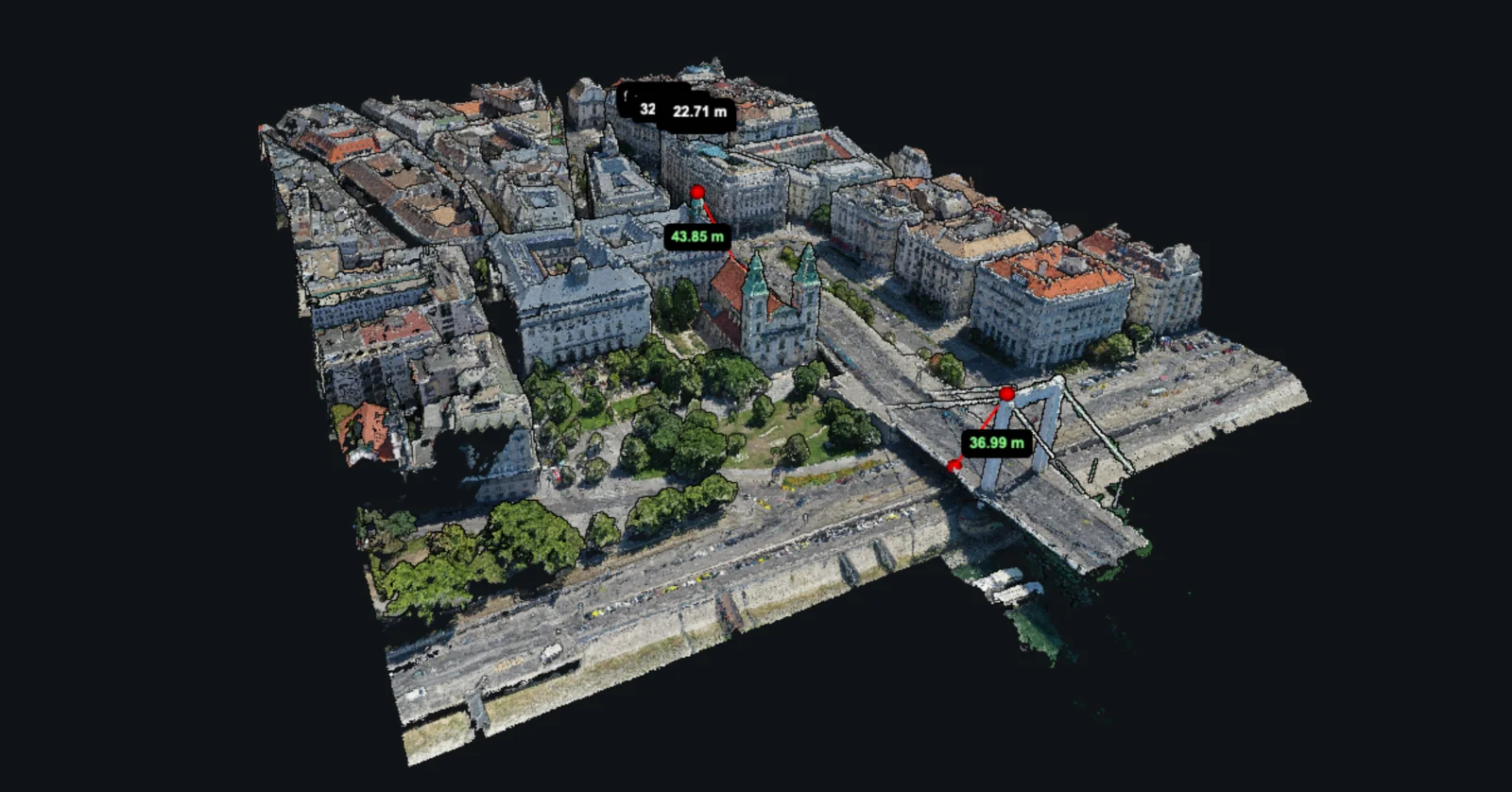
Try the viewer on the laptop or tablet you expect to use. A model that works well on a powerful office computer may be less convenient on a slower device. Also distinguish a display setting from the source data: drawing fewer points for performance is different from exporting a dataset with fewer points.
When an elevation model is the useful deliverable
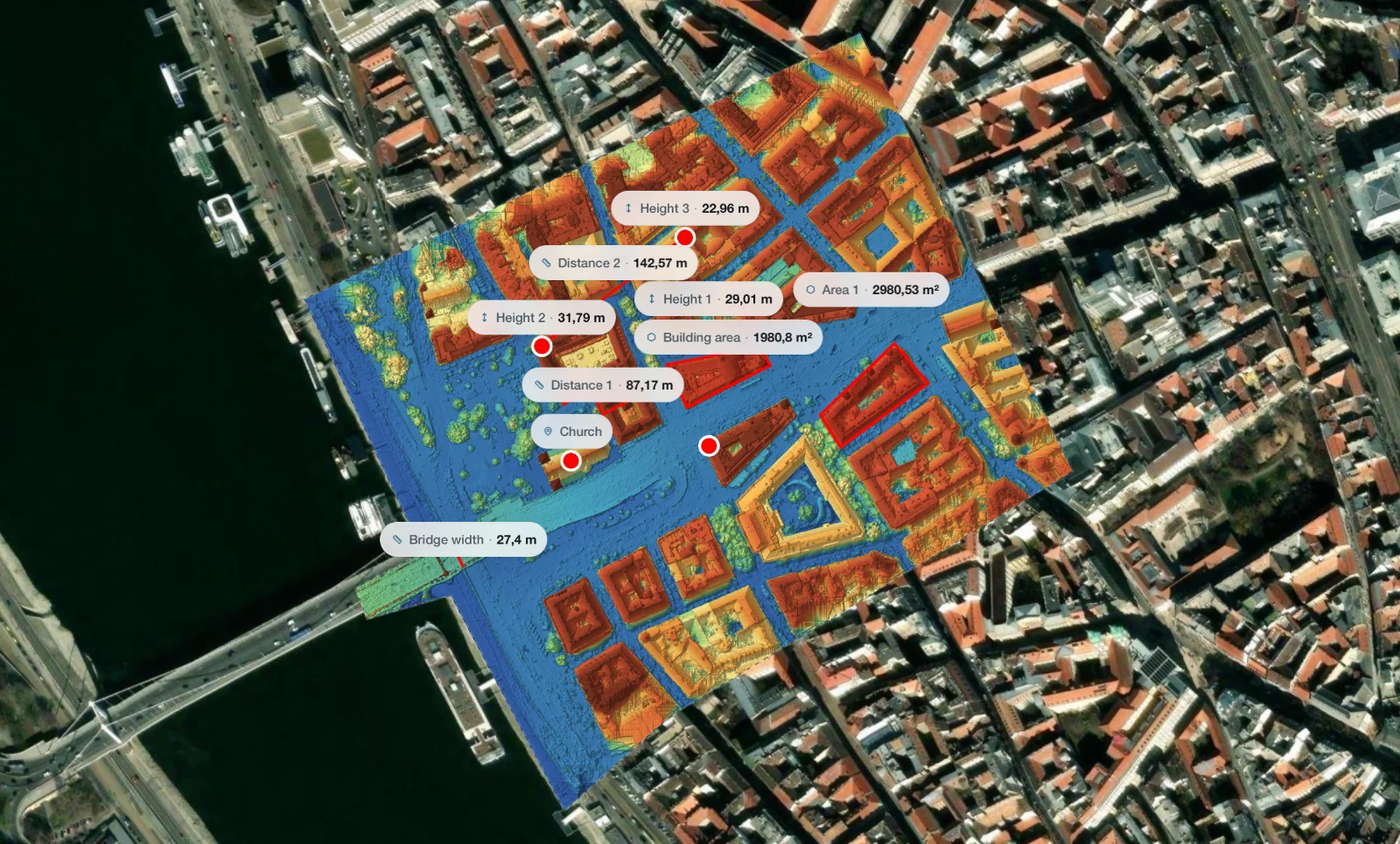
A digital surface model stores surface elevation across a grid. That is convenient for work organised around horizontal locations, such as comparing levels across a yard. A DTM aims to represent terrain after above-ground features have been removed.
Neither grid is a complete description of every surface in a complex structure. A bridge can have a deck, an underside and ground below at the same horizontal location. A single elevation value cannot represent all three.
MapperTool can produce DSM and DTM outputs alongside the orthomosaic. This is useful when you want a recognisable colour map for locating features and a separate elevation layer for examining levels. The orthomosaic, DSM and DTM guide explains how to choose between them.
When you specifically need a textured mesh
A mesh joins vertices into surfaces, commonly triangles, and can carry photographic textures. If the job is a presentation, a virtual scene or an import into a 3D application, ask for the exact mesh format and any associated texture files before selecting a processing service.
Our point cloud and mesh comparison provides more background on the two representations. For a purchase decision, the essential check is still practical: open a sample file in the application that will receive the final work.
Check what “measurement” means in the demo
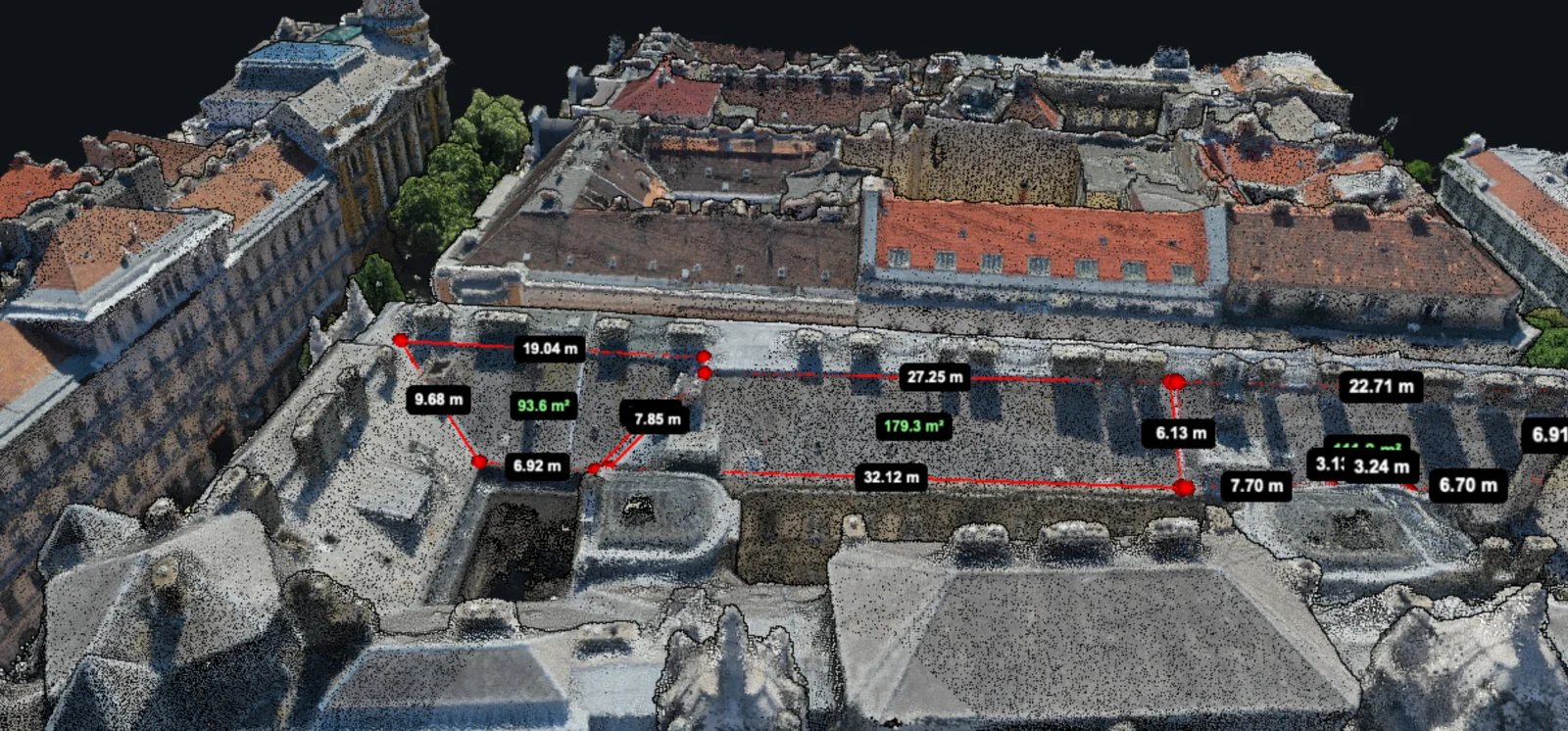
A line on a top-down map, a straight segment between two 3D positions and a path traced along a surface can have different lengths. Ask which quantity the tool reports for the job you have in mind.
MapperTool offers distance, area and height tools in its 3D viewer. When testing a project, choose clearly reconstructed features and compare an appropriate measurement with an independent reference. The general measurement guide helps separate plan measurements from three-dimensional questions.
Choose software against a short delivery specification: required outputs, file formats, coordinate requirements, measurement tasks and the recipient's application. Then process a representative survey and check each item. For projects that need browser-based point cloud review together with orthomosaic and elevation outputs, MapperTool provides those parts of the workflow in one project.