Two clients ask for "the 3D model" of the same site. One opens it in a survey package, measures a clearance and pulls a cross section. The other drops it into a presentation and spins it on screen for a stakeholder meeting.
They want different files. Sending the wrong one produces the same two outcomes every time: either a beautiful model nobody can measure, or a file the client cannot open at all.
Key takeaways
A point cloud is the direct reconstruction result. A mesh is a surface fitted through it.
Measure on the cloud. Present with the mesh.
The cloud keeps gaps visible as gaps. A mesh fills them in and hides the uncertainty.
Ask what software the client will open it in before choosing a format.
What a point cloud is
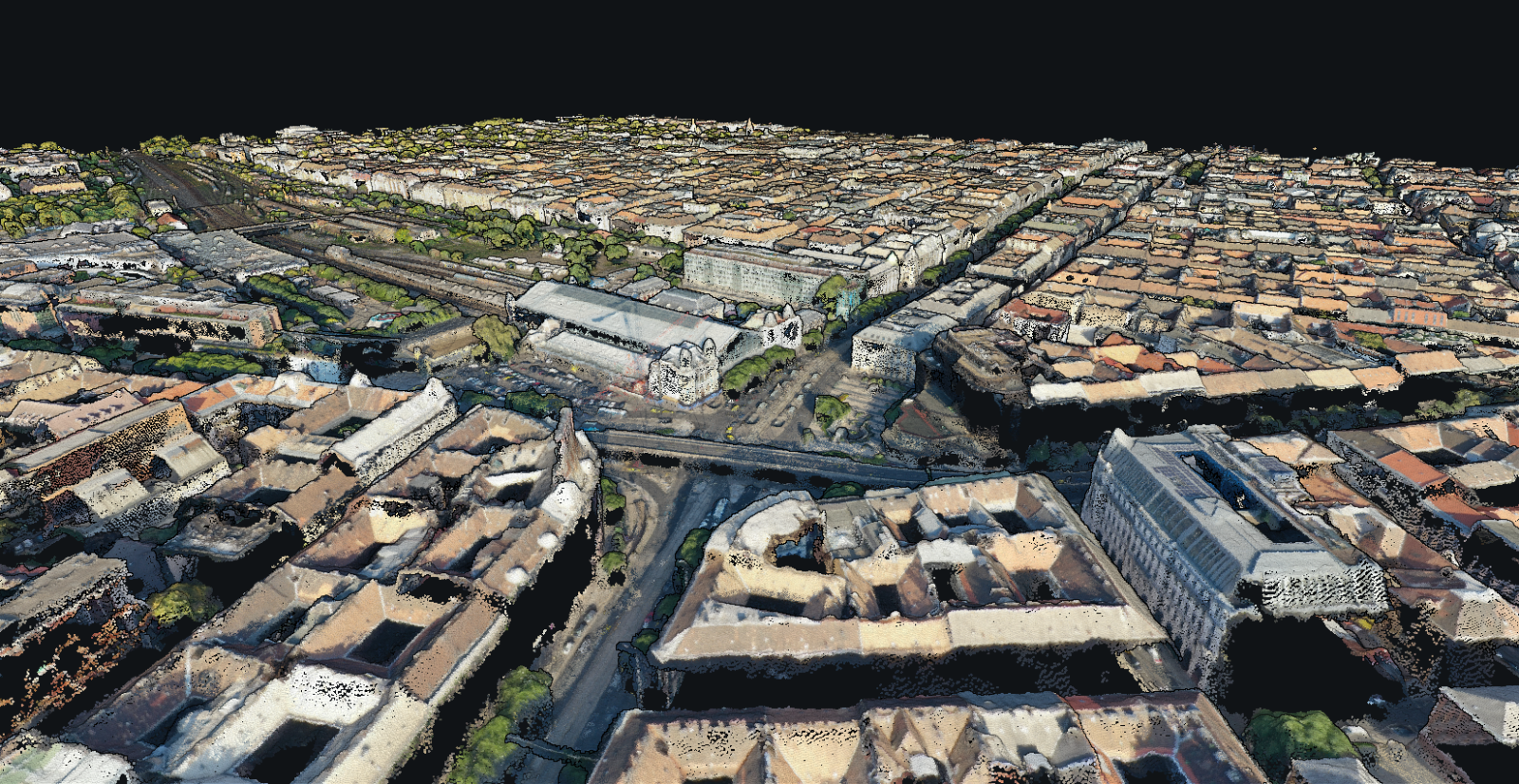
Photogrammetry matches features between overlapping photos, works out where the camera was for each one, and then intersects rays to place millions of individual points in space. Each point has a position, usually a colour taken from the photos, and sometimes a classification such as ground or vegetation.
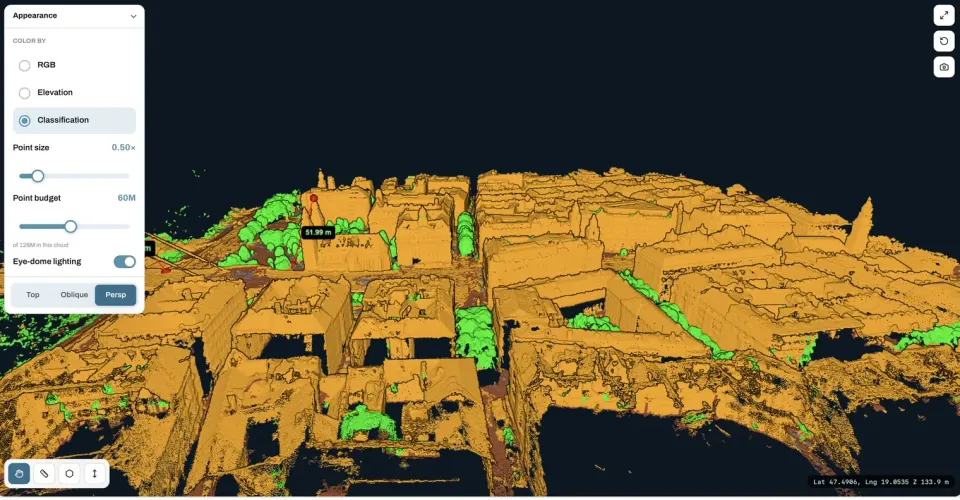
That set of points is the measurement. Everything else in a photogrammetry deliverable is derived from it: the digital surface model is the cloud rasterised from above, the terrain model is the cloud with non ground points removed and the gap interpolated, and the orthomosaic is the photos reprojected onto that surface.
The important property of a cloud is honesty. Where the cameras saw nothing, there are no points. A hole in a point cloud is information: it tells you the underside of that gantry was never observed, and that anything you conclude about it is a guess.
What a mesh is
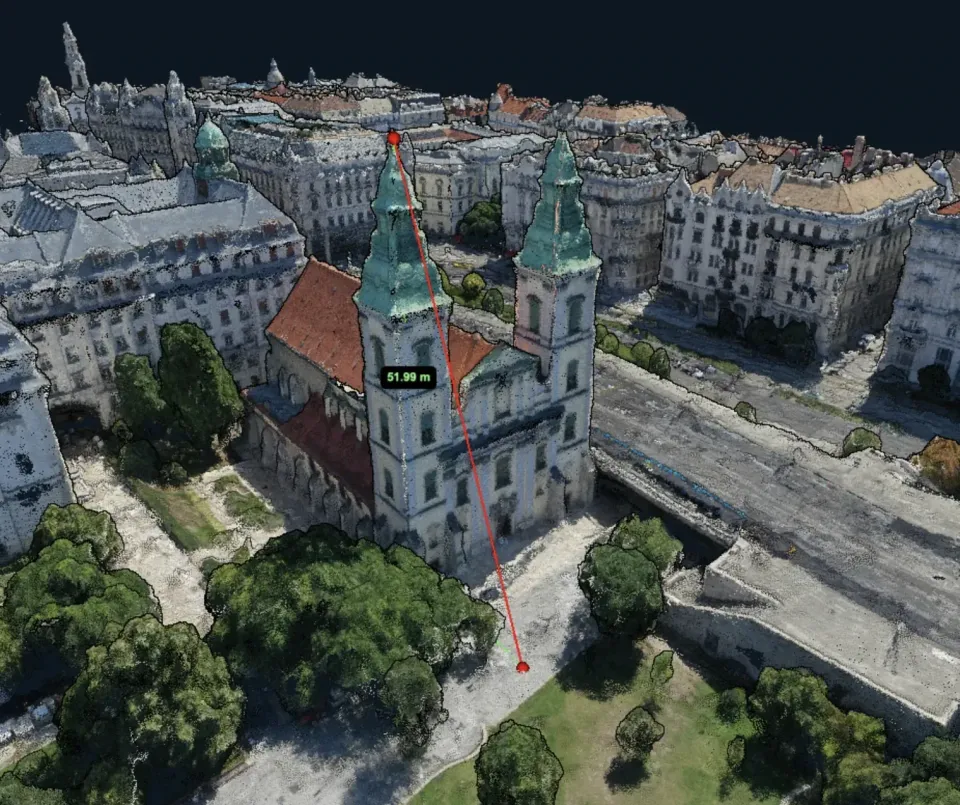
A mesh takes those points and fits a continuous surface through them, made of triangles. A photographic texture is then projected onto the triangles, which is what makes a mesh look like a scale model rather than a cloud of dots.
Two things happen in that step. The good one is that the result becomes continuous, light and easy to display: a mesh renders smoothly on a laptop or a phone where the raw cloud would struggle, and it looks like something you can show a client without explaining it first.
The bad one is that the surface has to exist everywhere. Where the cloud had a hole, the mesh has a plausible looking triangle. Nothing on screen distinguishes a surface that was measured from one that was invented, which is exactly why a mesh is a poor basis for a measurement you have to defend.
Side by side
Point cloud | Textured mesh | |
|---|---|---|
What it is | Measured points | Fitted surface plus photo texture |
Best at | Measurement, sections, clearances, volumes | Visual communication, walkthroughs, presentations |
Gaps | Visible as empty space | Filled in silently |
File size | Large, scales with point count | Smaller for the same area |
Typical formats | LAS, LAZ | OBJ, PLY, glTF, 3D Tiles |
Opens in | Survey and GIS packages, CAD, point cloud viewers | 3D and game engines, viewers, some CAD |
Detail control | Density set at processing time | Triangle budget and texture resolution |
The short version: the cloud is evidence, the mesh is a picture of the evidence. Both are legitimate deliverables, and plenty of projects need both.
See the 3D result before you decide what to deliver
Request the point cloud alongside the orthomosaic and elevation models, then rotate and measure it in the browser without installing anything. The free plan takes up to 150 photos per project.
Process a projectWhich one to deliver
Ask one question first: what will the recipient do with it? The answer almost always decides the format on its own.
Send a point cloud when the client measures things. Survey, engineering and inspection workflows all consume clouds directly. Cross sections, clearance checks, deformation comparison between epochs, extracting a terrain surface, feeding a CAD or BIM workflow: all of these are cloud jobs. It is also the right choice when someone downstream will process the data further, because a cloud can always be meshed later while a mesh cannot be turned back into measurements.
Send a mesh when the client looks at things. Stakeholder presentations, planning consultations, marketing material, heritage documentation and anything embedded in a web page benefit from a continuous, textured surface. A mesh also wins on structures with vertical faces, where a top down raster flattens the interesting part away.
Send both when the project has two audiences, which is more common than it sounds. The technical team gets the cloud, the client's communications team gets the mesh, and neither has to work around a file that was not meant for them.
Formats, briefly
LAS and LAZ are the standard for point clouds. LAZ is the compressed form of the same data, typically a fraction of the size and lossless, and it is what you should send unless the client explicitly asks otherwise. Both carry the coordinate reference system, which is what makes them usable rather than merely viewable.
OBJ is the most widely accepted mesh exchange format, and it arrives as several files: the geometry, a material file and the texture images. Zip them together, because a mesh delivered without its texture files renders as flat grey and generates an immediate support question.
PLY is compact and common in scanning workflows. glTF is the sensible choice for web viewing. 3D Tiles is for streaming very large models in a browser, and is usually a platform decision rather than a file you email.
One practical note on coordinates: many mesh formats have weak or no support for georeferencing, so a mesh often arrives with local coordinates and an offset written in a separate text file. If the client needs the model positioned in their site grid, a point cloud is the safer delivery.
What good looks like
Whichever you send, the same three things determine whether it is usable.
Density. A cloud with too few points per square metre cannot resolve the features the client cares about, and a mesh built from it will be smooth and wrong. Density comes from flight height and overlap, not from an export setting.
Coverage of vertical surfaces. A nadir grid photographs the ground well and building sides badly. If facades, faces or structures matter, the flight needs oblique passes or orbits. No processing setting recovers a surface that was never photographed.
Honest gaps. Water, reflective glass, uniform sand and deep shadow all reconstruct poorly. In a cloud this shows as an empty area, which is fine as long as you point it out. In a mesh it shows as a smooth invented surface, which is fine only if you point it out.
Frequently asked questions
Can I measure on a mesh instead of a point cloud?
You can, and for rough dimensions it is fine. The problem is that a mesh gives no indication of which parts of the surface were measured and which were interpolated across a gap, so a measurement can look clean and be based on invented geometry. For anything a client will act on, measure on the cloud.
Which is bigger, a point cloud or a mesh?
The cloud, usually by a wide margin, because it stores every reconstructed point. LAZ compression helps a lot and should be the default. A mesh trades that detail for a compact, continuous surface, which is exactly why it displays smoothly on hardware that struggles with the raw cloud.
Do I need a mesh to view the model in a browser?
No. Point clouds stream and render in a browser perfectly well with the right viewer, which is how you can rotate and measure a site without installing desktop software. A mesh becomes necessary when you need a solid, textured surface, for example when embedding the model in a web page or a game engine.
Can a mesh be built later from a delivered point cloud?
Yes, and that is a good argument for delivering the cloud when you are unsure. Meshing is a downstream step. Going the other way is not possible in any meaningful sense: once the surface has been fitted and the gaps filled, the original measured points and the honest holes between them are gone.
The choice is less about which output is better and more about which question the file has to answer. If somebody will measure it, send the point cloud in LAZ and say what the density is. If somebody will look at it, send a mesh and zip the textures with it. If you genuinely do not know, send the cloud: it is the file that can still become the other one. To see how outputs and project retention differ per plan, the details are on the pricing section.