Cloud mapping software lets you upload drone photographs and process them on a provider's computers. You can then review the results online, and download the outputs supported by your plan. It suits teams that want to process surveys without maintaining a dedicated photogrammetry workstation.
The choice becomes easier when you start with a real delivery. Perhaps a client needs a map to review in a meeting, a designer needs elevation data, or a colleague needs a point cloud for further work. Those jobs place different demands on the service, even when they all begin with the same photos.
This guide focuses on choosing a hosted processing workflow. For a broader view that includes installed software, see our photogrammetry software comparison.
Cloud mapping software: four services to consider
The descriptions below identify useful differences to investigate, they are not a ranking or a claim that every feature is included in every plan. Product information was checked on October 26, 2026.
Service | What to investigate for your work | Official source |
|---|---|---|
MapperTool | Upload-to-output workflow, browser measurements, GeoTIFF and LAZ delivery, and access to specialised analysis modules | |
PIX4Dcloud | Cloud reconstruction with maps, point clouds and meshes, plan-dependent progress tracking and design overlays | |
DroneDeploy | Image processing requirements and whether your work needs its additional accuracy review or earthworks capabilities | |
Maps Made Easy | Orthophoto and model processing with pay-as-you-go or subscription options, particularly when job frequency varies |
If you are considering PIX4D alternatives specifically to avoid local processing, compare against PIX4Dcloud. PIX4Dmapper is a separate product, and replacing a desktop workflow is a different decision from changing cloud providers.
Start with the file your client needs
Write down the deliverable before comparing subscriptions. “A map of the site” leaves several questions unanswered. Does the client need a browser link, a georeferenced raster for GIS, an elevation surface, or a point cloud that another application can read?
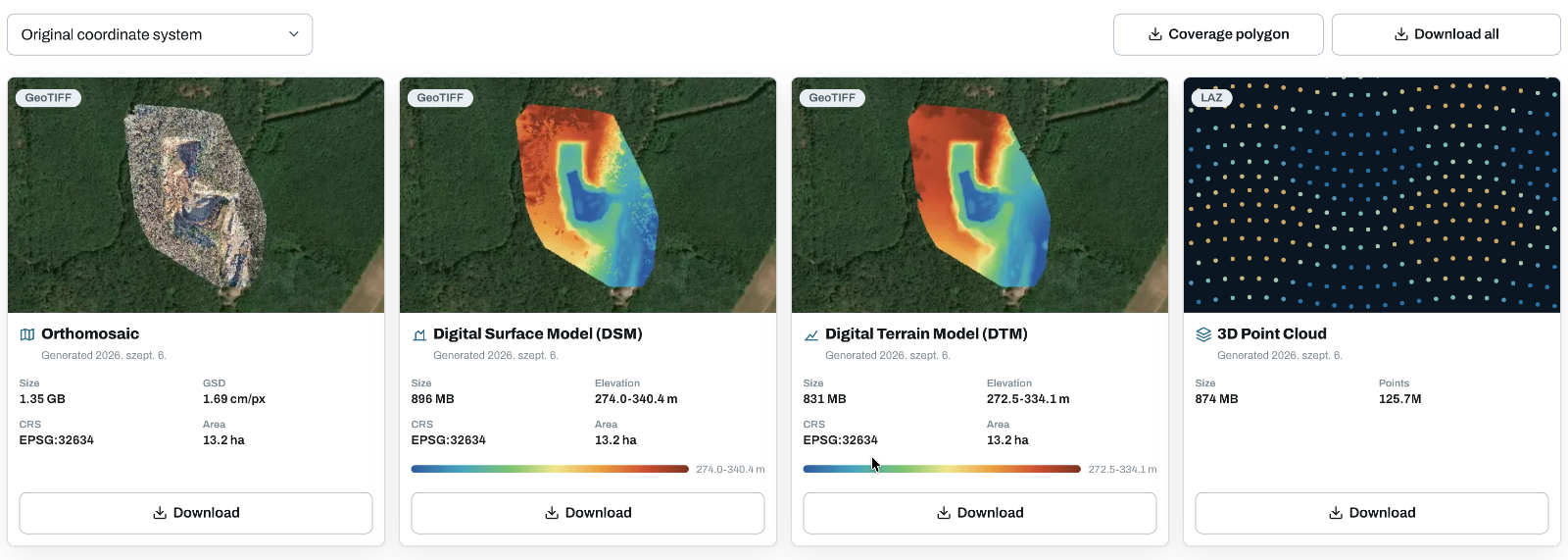
MapperTool provides orthomosaic and elevation outputs as GeoTIFF files, with the 3D point cloud available as LAZ. Its Outputs tab shows information such as format, file size and coordinate reference system. That makes it possible to check the handover requirements while reviewing the project. See the output and download documentation for the current workflow.
For a trial, download one representative output and open it in the recipient's actual software. A successful preview in your browser does not establish that their import workflow is ready.
Separate upload time from processing time
A cloud service removes the need to run reconstruction on your own workstation, but the images still have to reach the service. On a slow connection, uploading a large survey may take a substantial part of the working day.
Test with a realistic photo set rather than a tiny demonstration project. Record how long the upload takes, when processing starts, when the results become available and how the viewer responds on the computer you normally use.
In MapperTool, processing takes place on remote render nodes. Once the upload is complete and the job has been submitted, you can close the processing tab. The processing guide explains the queue, progress display and reprocessing window. These are useful details when you want to submit a survey and continue with another job.
Check the cost of your normal month
Compare a month of actual work: the number of projects, typical image count, required processing quality and expected storage period. A low entry price may suit occasional jobs, while a different plan may fit regular surveys better.
Keep each vendor's stated currency and billing period in your comparison. An annually billed monthly equivalent is a different commitment from a cancellable monthly subscription. Also check whether the price covers the outputs and downloads you need.
For MapperTool, review the current plans against your datasets. Choose on required capacity and features rather than assuming that every project needs the highest tier.
Treat project storage as part of delivery
Ask two separate questions: how long are the original images retained, and how long do the processed results remain accessible? You may need the originals for another processing run and the results for a later client meeting.
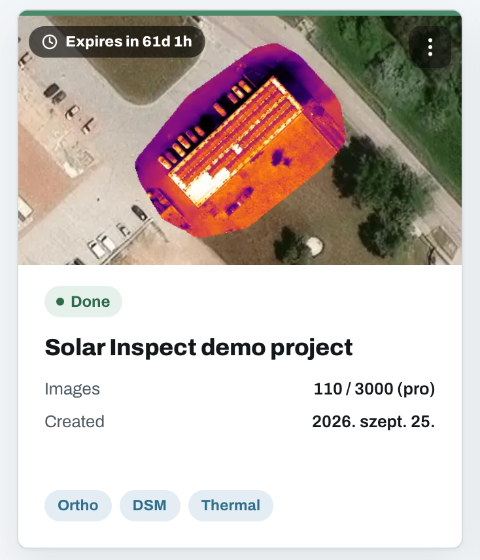
MapperTool has separate retention periods for source images and results. Keep your own originals and download the deliverables you need to retain. A shared project link is useful for access, but it should not be your only archive.
Before committing, complete one small job from upload to handover. Inspect the reconstruction, make a relevant measurement, download the required file and have the intended recipient open the result. That single exercise tells you more about whether the workflow fits your team than a long list of features in isolation.
Find the plan that fits your workflow
Start free, explore the full workflow, then choose the plan that matches your projects.
View plans