The right photogrammetry software depends on the maps you need, the computer you have and how you deliver results to clients.
Start by deciding whether you need cloud processing or installed software. Then compare the outputs, costs and sharing tools you need.
Key takeaways
Compare processing, hardware, downloads and client access as well as the subscription price.
Cloud services run online. Desktop software needs a computer that meets its hardware requirements.
Check whether you need control points, where your files will be stored and how many projects you process.
How to compare the options
Check the price and what it includes. Follow the pricing links to compare plans. Check the currency, billing period, processing allowance and storage before you buy.
✓ means the vendor lists the feature. ✗ means it is not included. not stated means the vendor does not say, so check before choosing.
Check what you need to run it. Cloud services need a browser and an internet connection. Installed software needs a suitable computer. If you host a server, you also maintain it. WebODM has local installers. WebODM Lightning is a separate cloud service.
We make MapperTool, which is included in this comparison. Use the linked product pages to check which option fits your work.
The comparison
Feature | MapperTool | WebODM | Metashape Pro | PIX4Dmapper | DroneDeploy | Correlator3D |
|---|---|---|---|---|---|---|
Runs on | Cloud | Desktop, Self hosted | Desktop | Desktop | Cloud | Desktop |
Pricing | ||||||
Setup | Browser upload | Local installer or managed server | Desktop installation | Desktop installation | Browser upload | Desktop installation |
Starting requirement | Browser and suitable images | Local hardware. Hosted Lightning is separate. | Suitable local hardware | Suitable local hardware | Browser and suitable images | Suitable local hardware |
Cloud processing | Included workflow | Lightning is a separate hosted service | Agisoft Cloud is a separate service | PIX4Dcloud is a separate product | Included workflow | Check cloud deployment requirements |
Free tier or trial | Free plan, 150 photos per project | Software is free | 30 day trial | 15 day trial | 14 day trial | Free trial, length not stated |
Orthomosaic | ✓ | ✓ | ✓ | ✓ | ✓ | ✓ |
DSM / DTM | ✓ | ✓ | ✓ | ✓ | ✓ | ✓ |
3D point cloud | ✓ | ✓ | ✓ | ✓ | ✓ | ✓ |
Multispectral, NDVI | ✓ | ✓ | ✓ | ✓ | not stated | ✓ |
Thermal | ✓ | ✓ | ✓ | ✓ | ✓ | not stated |
Ground control points | Coming soon | ✓ | ✓ | ✓ | ✓ | ✓ |
Browser measurement | ✓ | In your own instance | ✗ | ✗ | ✓ | ✗ |
Client share link | ✓ | You host it yourself | ✗ | ✗ | ✓ | ✗ |
Which cloud drone mapping software should you choose?
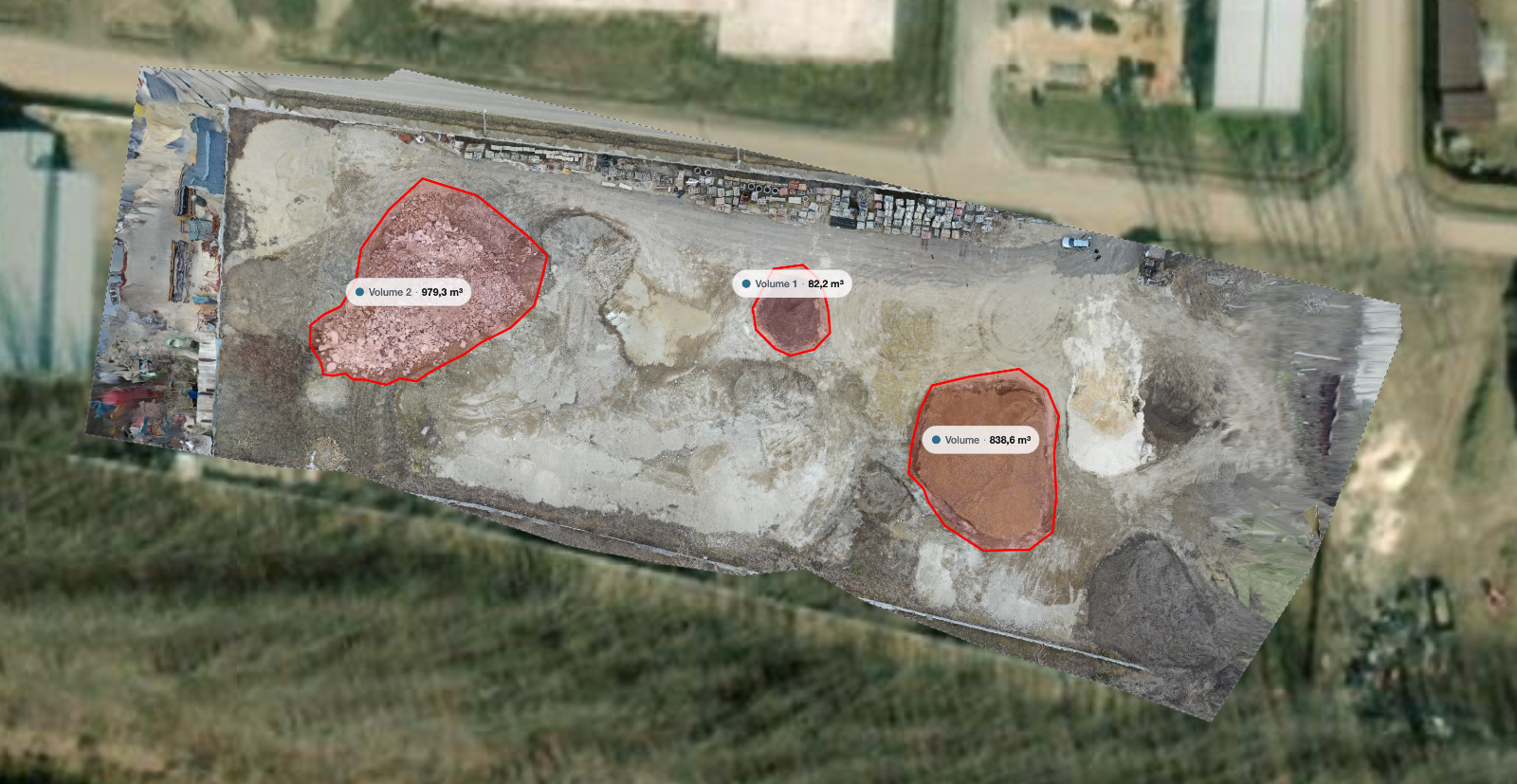
For cloud processing, compare MapperTool, PIX4Dcloud, DroneDeploy Aerial and Maps Made Easy. These services process uploaded drone photos online. PIX4Dmapper is a separate desktop product.
Cloud product | What it does | What to check |
|---|---|---|
Upload photos, choose outputs, process, then view, measure and share in the browser | Check the outputs, image limit, guest downloads and how long projects stay available | |
Cloud processing into orthomosaics, point clouds, meshes and elevation models, with online measurement and URL sharing | Check the outputs, downloads, sharing tools and storage included in your plan | |
Capture drone images, process maps online and inspect site data | Check supported drones, outputs, client access and plan requirements | |
Cloud processing of aerial images into orthophotos, surface models and 3D models, with map sharing and measurements | Check processing costs, download formats and sharing options |
Test each service with the same dataset. Check that your plan includes the outputs, downloads and client access you need. Confirm how long your files stay available.
For browser delivery, check both the measurement workflow and the client handover routine. For free local software versus hosted processing, use the free drone mapping software cost guide.
Costs beyond the subscription
Include your computer, working time and client delivery when comparing costs.
Your computer. Desktop processing needs suitable hardware. Check the recommended memory, storage and graphics requirements. If you run a shared server, include hosting and maintenance.
Your time. Include preparing images, managing processing and fixing failed jobs. Use the time spent on your own recent projects to compare the options.
Client delivery. Check how clients will view the results and download files. A browser link may be easier for them than a large file transfer. See the client-sharing guide for a practical handover checklist.
Try your own drone photos
Upload a dataset you know and check the results in your browser. The free plan takes up to 150 photos per project.
Upload drone photosFrequently asked questions
Which of these is the most accurate?
Start with image quality, overlap and georeferencing. The software also needs to support the control-point and accuracy-checking workflow your job requires. Test the results against independent measurements before choosing a tool for work that needs verified accuracy.
Why do some cells say "not stated" instead of no?
The feature was not listed on the product pages used for this comparison. It may still be available. Ask the vendor before treating it as missing.
Does WebODM require running my own server?
No. You can use a local WebODM installer on a suitable computer. Running a server for other people adds hosting and maintenance. WebODM Lightning is a separate cloud service that does not need a local installation.
Can I use more than one of these?
Yes. You can use a cloud service for routine processing and client sharing, and a desktop tool for jobs that need offline work or specific controls. Check the export and import formats before moving results between tools. The orthomosaic guide explains the map output.
Choose two or three tools that support your outputs and working conditions. Test them with the same dataset, then compare the results, total cost and client access.