
You can share a finished drone survey with a browser link instead of sending large map files. The client can open the results without installing GIS software.
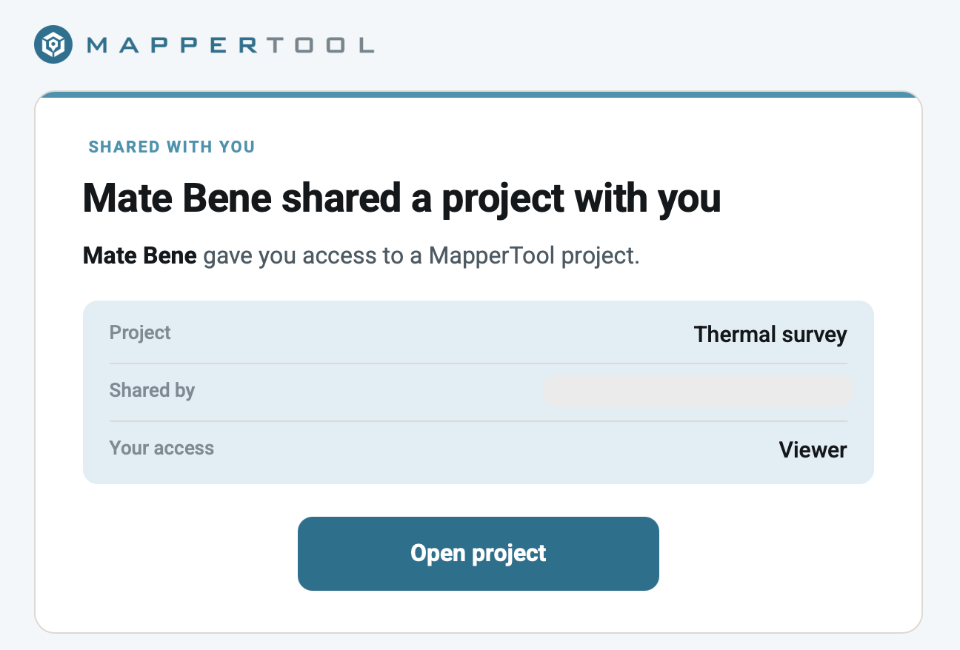
Before sending it, choose what the client can do and how long access should last. A review may need view-only access. A working handover may also need measurements or downloads.
Key takeaways
A browser link lets the client view the map without installing GIS software.
Viewer access allows viewing. Editor access also allows supported measurements and downloads.
A share link stops working when the project is removed, even if the link has no set expiry.
Use a public link for a quick review. Invite named collaborators when they need ongoing access.
When to share a link instead of files
A browser link can make delivery easier in four ways.
File size. Orthomosaics, elevation models and point clouds can be large. A link lets the client view them without downloading every file first.
Software. GeoTIFF maps and LAZ point clouds need compatible software. A browser viewer lets the client inspect the results without installing it.
Current results. Copies sent by email or file transfer can become outdated. A project link gives the client access to the results currently available in that project.
Access control. You can revoke a link. You cannot withdraw copies the client has already downloaded.
What Viewers and Editors can do
Choose the role based on whether the client needs to view, measure or download. Also decide whether their measurements need to be saved in your project.
Access method and role | Viewing and measurement | What is saved |
|---|---|---|
Public Viewer link | Explore available outputs and switch views. No drawing or output downloads | No guest measurements |
Public Editor link | Explore, measure and download supported outputs within the owner's plan | Measurements stay in the guest's session and are not saved to your project |
Invited Viewer | Explore available project results. No drawing or output downloads | Cannot add measurements |
Invited Editor | Explore, measure and download within the owner's plan | Measurements made on the project can be saved |
Use an email invitation when a named Editor needs to save measurements in the project. A public Editor link allows guest measurements, but those measurements are not saved to your project. The owner controls sharing and deletion.
For a quick review with measurements, use an Editor share link. See measuring on a drone map for layer and accuracy checks.
Guest downloads depend on your plan. Free-plan links are view only. Check the pricing section before promising download access.
When access ends
A link can expire, be revoked or stop working when the project is removed.
Access limit | What it means | Who controls it |
|---|---|---|
Link expiry | The end date you choose for the link | You, per link |
Revocation | You stop access before the expiry date | You, at any moment |
Project retention | How long the project stays available before automatic deletion | Your plan |
A link cannot keep a project available beyond its retention period. Even a link with no expiry stops working when the project is deleted.
Use a short expiry for a one-off review. Choose a longer period for an active job, within the project retention period. Remove access when a contact no longer needs it.
Share your finished drone map
Process your photos, then choose the sharing role and expiry. The client opens the map in their browser. The free plan takes up to 150 photos per project.
Start a projectPublic link or email invitation
Choose a public link for simple access, or an invitation for a named person.
A public link can be opened by anyone who has the URL. It is useful for quick reviews and links included in reports. The recipient does not need an account or installation.
A forwarded link gives the next person the same access. Only send it to people who should have that role. Set an expiry and revoke it when the review ends.
An email invitation gives access to a named user. Use it for regular collaborators and Editors who need to save measurements. You can change or remove one person's access without affecting the others.
Use a link for a quick review. Use an invitation for ongoing work with a named person.
Claim anonymous projects before sharing
The project must belong to an account before you can share it. If you uploaded the photos anonymously, claim the project into your account first.
What the client sees
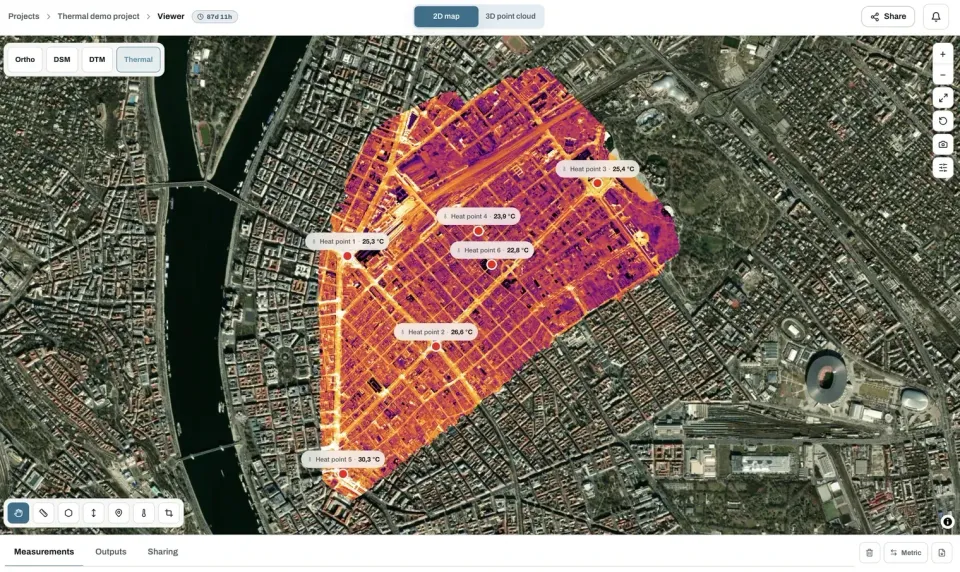
The client opens the available map layers and outputs in their browser.
A public link needs no account or installation. The client can switch map layers and open the 3D point cloud if one is available. A Viewer link allows viewing only. An Editor link also allows supported measurements and downloads within your plan. Guest measurements are not saved to your project.
Before you send the link
Check these five things before handing over the project.
Check the outputs. Make sure the expected outputs have finished processing. Save any measurements you want the client to see.
Choose the role. Use Viewer for viewing only. Use an Editor link for guest measurements or downloads. Invite an Editor if measurements need to be saved in the project.
Set an expiry. Match it to the review or job, and check the project retention period.
Test the link. Open it in a private browser window. Check the project, available layers and download permissions.
Explain the handover. Tell the client what the layers show, when access ends and how any measurements were made.
Frequently asked questions
Does the client need an account to open a shared drone map?
No. A public share link opens in a browser without signing in. People invited by email need an account because their access is tied to a named user.
Can I stop someone from downloading the files?
Yes. Choose Viewer access to keep output downloads unavailable. Guest download access requires a plan that supports it.
What happens if I revoke a link that has already been sent?
The link stops granting access, including for people who received a forwarded copy. To share again, create and send a new link. Files already downloaded cannot be withdrawn.
Can a share link outlive the project?
No. It stops working when the project is deleted. Download files that need to be kept longer, or check that your plan covers the required access period.
Can several people work on the same project?
Yes. Invite each person by email and choose their role. Editors can save measurements and download within the owner's plan. Viewers can inspect the results. You can remove one person without changing anyone else's access.
Before sending the link, check the role, expiry and project retention period. Tell the client how to use the results and which files they should keep.