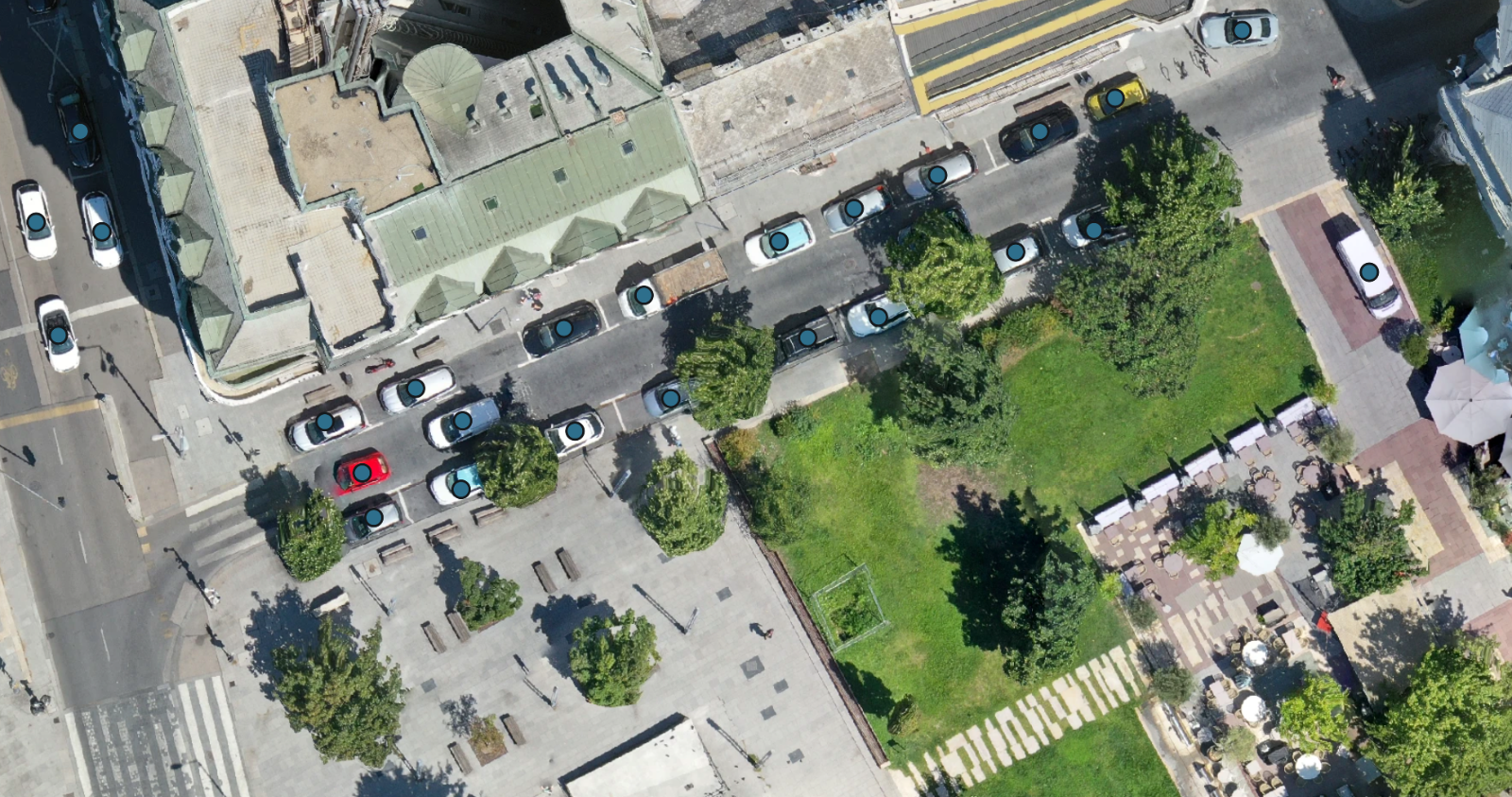
Counting a few trees on a drone map is straightforward. Counting several hundred takes longer, especially when you need to keep track of which ones you have already included. The same problem comes up with parked cars, bales spread across a field and buildings across a survey area.
Auto Count is now available in MapperTool for Plus and Pro subscribers. It adds automatic object counting to your drone mapping software: run it on a completed project with an RGB orthophoto and a digital surface model (DSM), and the detected objects appear on the map alongside their total count.
You can inspect the results and correct them in the same project. There is no need to keep a separate list of marks just to remember where the number came from.
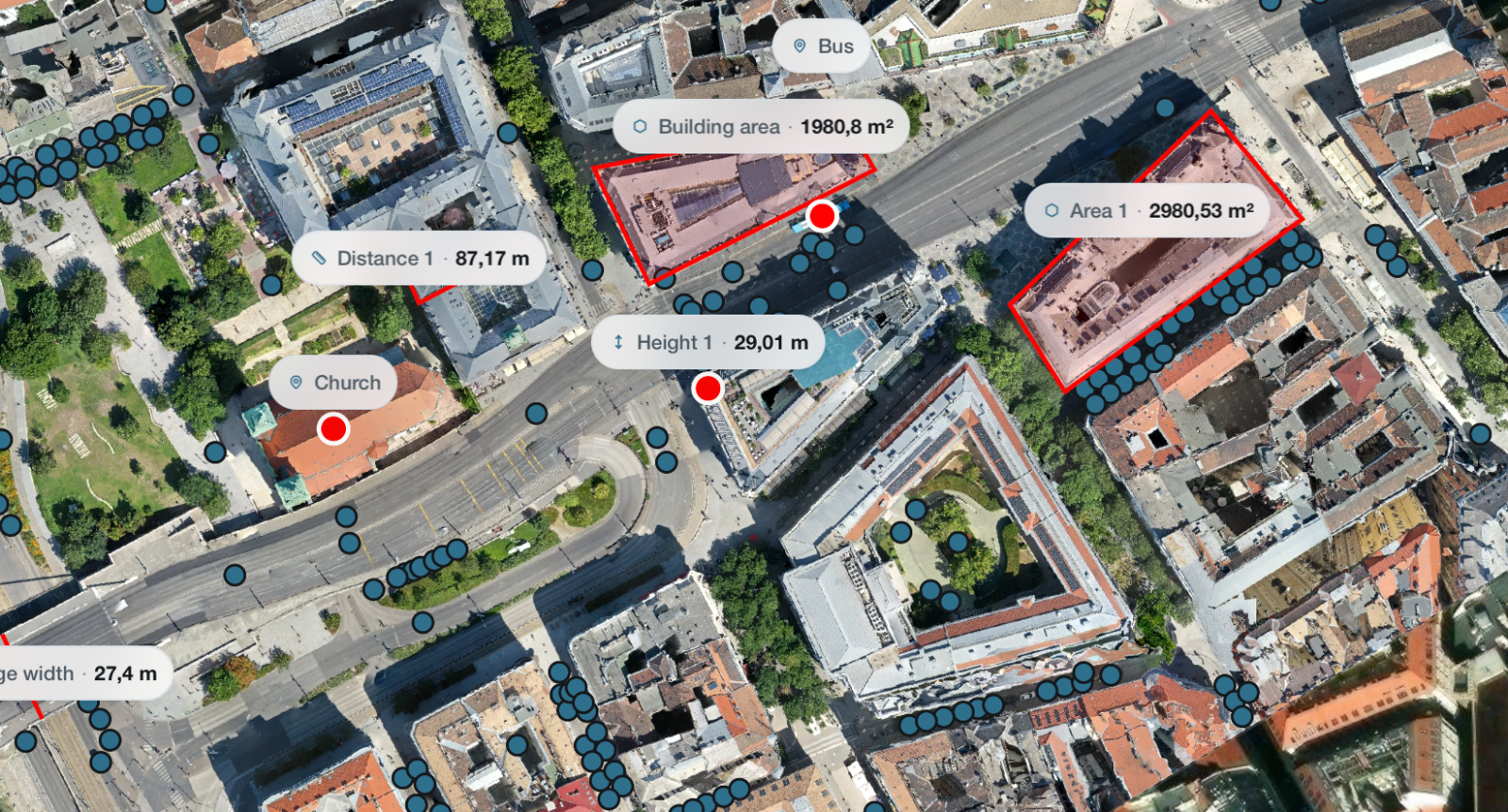
What can Auto Count detect?
The module supports several types of objects, including trees, cars, buildings and bales. It also includes options for individual crop plants, solar panels and material piles. Choose the object type that matches your task before starting the analysis.
Each run counts one type of object. If a farm project contains trees, parked cars and bales, selecting bales gives you a bale count. It does not combine everything into one total. The automatic mode can select a supported object type from the scene, choosing the type yourself is useful when you already know what you need to count.
The results depend on what can be distinguished in the survey. Separate tree crowns and clearly visible bales are different counting problems from a closed canopy or a stack with hidden layers. The module does not estimate objects concealed beneath others.
Automatic counting inside your drone mapping software
Start with a completed MapperTool project containing both required layers:
RGB orthophoto: the mapped colour image used to recognise the objects.
DSM: the surface elevation layer used to support the analysis.
An orthomosaic lets you see where the objects are across the project. The DSM supplies information about the surface at those positions. Auto Count uses both; an aerial photograph or a screenshot of the map alone is not sufficient.
Open Auto Count, choose a target and start the run. Once a count is available, the result markers are visible by default. Trees, cars, buildings and bales appear as points, the panel and material pile options return outlines.
Check an object, then correct the count
Click a detection to see its identifier and coordinates. If a marker is misplaced, you can move it. If the software has included something that should not be counted, delete that detection. You can also add an object it missed, or redraw an outline where appropriate.
These changes update the count. They remain available when you reopen the project, and the downloadable GeoJSON reflects the corrected results.
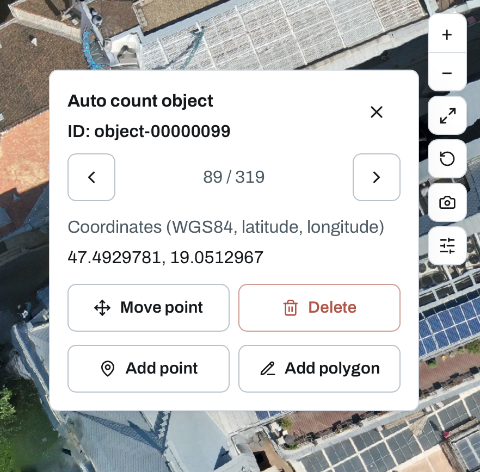
This is particularly useful around difficult parts of a map: adjoining roofs, overlapping tree crowns or objects close to the survey boundary. Automatic recognition provides the initial results, while the map gives you a way to check individual decisions before using the total.
Use the count with its map
A number is easier to discuss when you can also show the objects behind it. An orchard manager can inspect a row, a site team can look at a particular parking area, and a farm operator can check whether scattered bales have been included.
For your first run, choose a project where you can recognise the objects clearly in the RGB layer. Review a few ordinary areas as well as the difficult edges, then make any necessary corrections. Auto Count is available with MapperTool Plus and Pro, using the orthophoto and DSM from your project.