To measure elevation on a drone map, you need an elevation layer such as a DSM or DTM. Read the elevations at the two positions you want to compare, then subtract one from the other. The RGB orthomosaic helps you identify those positions, but its colour pixels do not contain elevation readings.
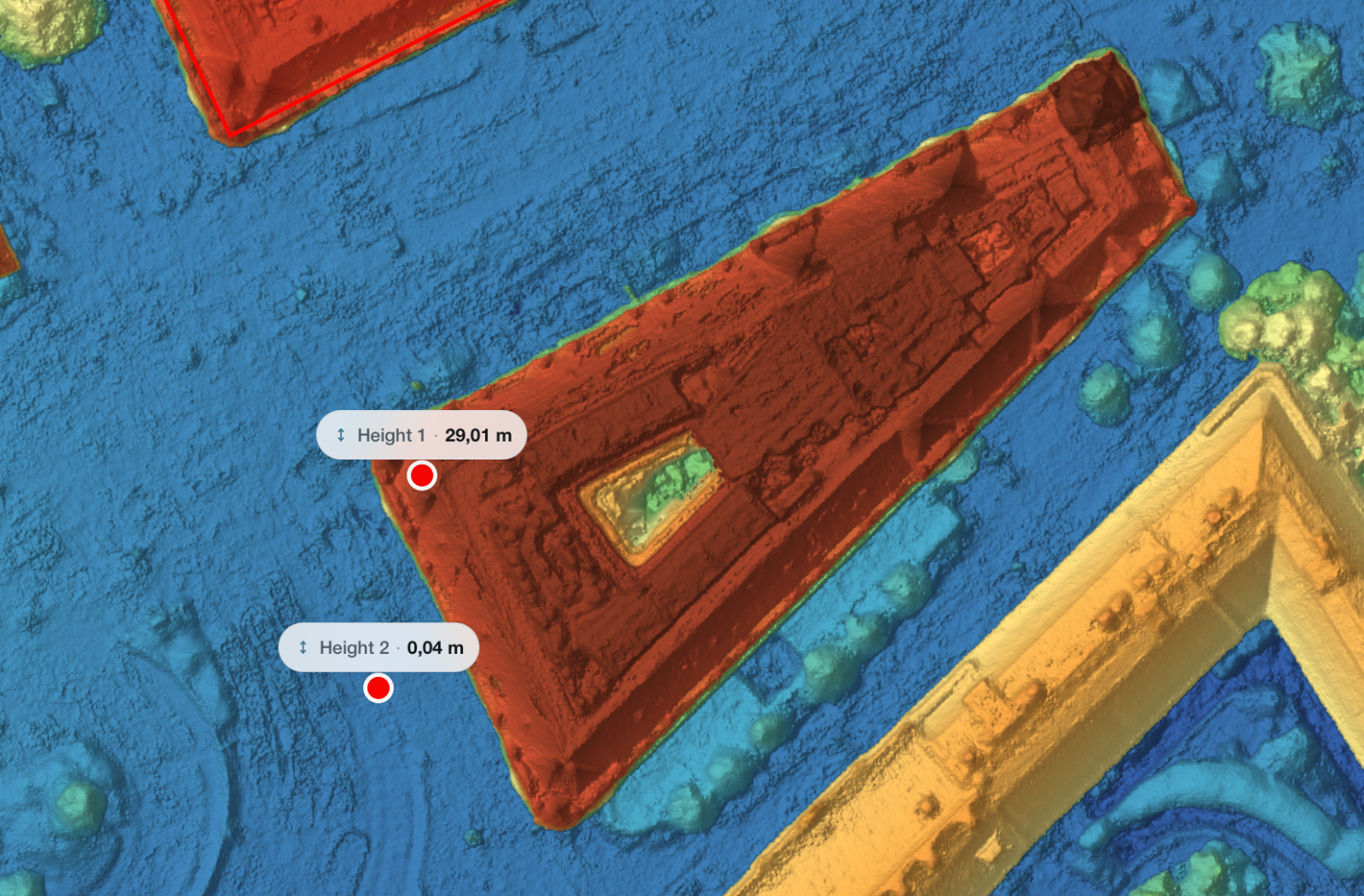
MapperTool lets you inspect elevation layers and take height readings in the browser. The important part is deciding what each selected position represents: bare ground, a roof, vegetation or another surface.
Elevation and height answer different questions
An elevation describes a position relative to a vertical reference. A height difference compares two elevations. A reading of 124.6 metres at a roof does not mean that the building is 124.6 metres tall.
Suppose the roof reading is 124.6 metres and a suitable ground point beside it reads 116.2 metres. The difference is 8.4 metres. That describes the separation between those two selected surfaces. If the ground slopes around the building, choosing a point on the opposite side can produce a different answer.
For a useful record, write “roof at point B above ground at point A”, rather than simply “building height”. The description makes the reference explicit.
Which layer should you use to measure elevation?
Use the DSM when the question concerns the visible surface, including roofs, tree canopies and piles. Use the DTM when the question concerns terrain. For a structure that needs inspection from the side, the point cloud may make it easier to see which surface you are selecting.
These choices have practical consequences. A DSM reading on long grass can sit above the soil. A DTM beneath a building or dense canopy may rely on interpolation where ground observations are missing. For more detail, see what a digital surface model contains.
A browser workflow in MapperTool
Open a completed project that includes the relevant elevation output. Identify the two locations in the RGB map first.
Inspect the DSM or DTM at those positions. Avoid choosing a blurred edge or a patch with an obvious reconstruction problem.
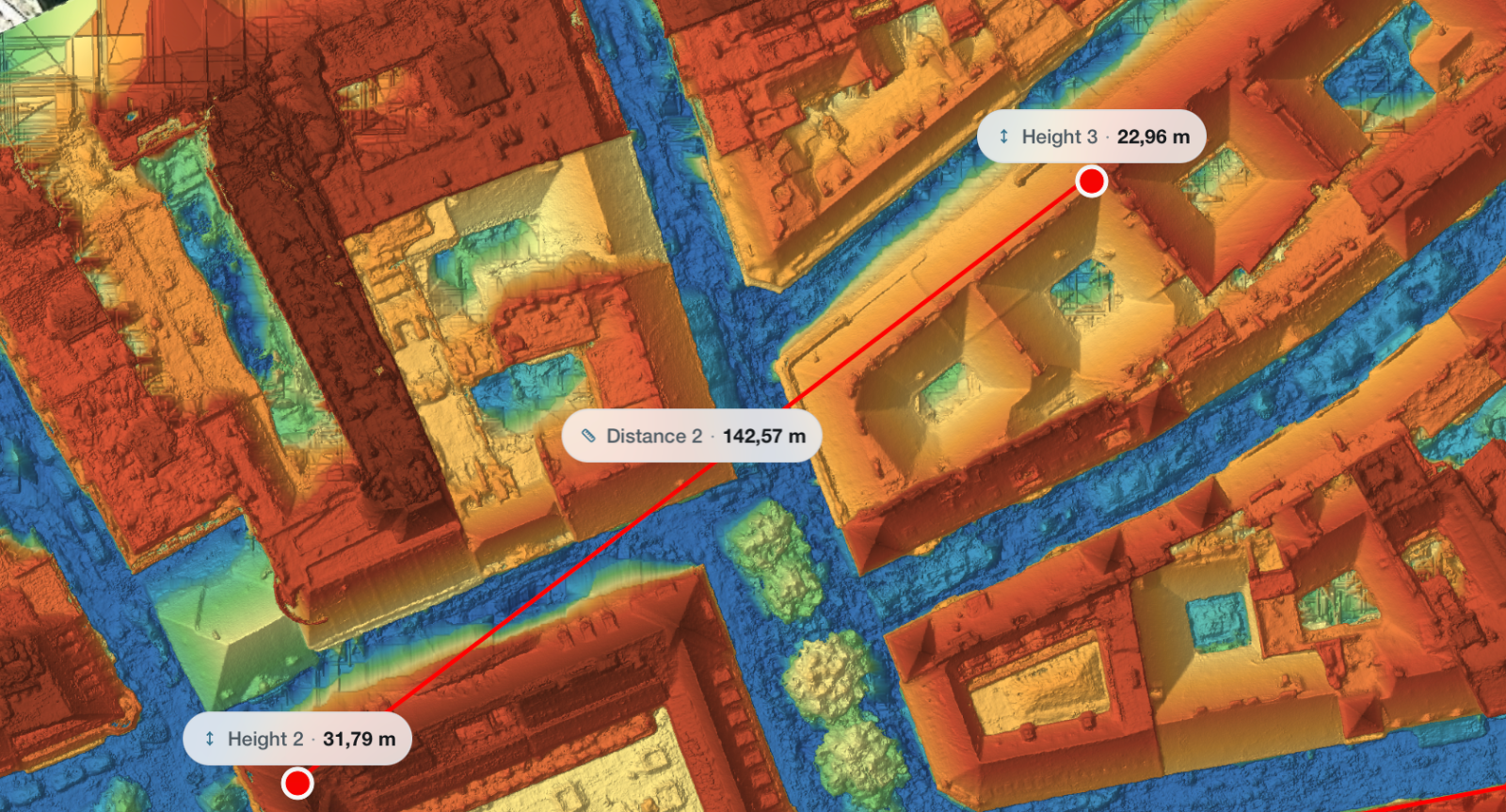
Use the Height tool to obtain the elevation readings. Confirm whether the viewer is displaying metric or imperial units.
Record both locations and values, then calculate their difference. Keep the order consistent: destination minus starting point, for example.
The current measurement documentation describes the Height tool and unit controls. For three-dimensional inspection, MapperTool also provides a point cloud view. Use it to examine the surfaces around a reading when a top-down map leaves the selection unclear.
Worked example: the fall across a yard
The following values are an illustrative calculation, not results from a tested MapperTool project.
Imagine that you are comparing two clear points on a paved yard. Point A reads 102.40 metres, point B reads 101.80 metres, and their horizontal separation is 30.0 metres.
Quantity | Calculation | Result |
|---|---|---|
Elevation change from A to B | 101.80 − 102.40 | −0.60 m |
Magnitude of fall | 102.40 − 101.80 | 0.60 m |
Average grade along the horizontal separation | 0.60 ÷ 30.0 × 100 | 2.0% |
The negative change tells you that B is lower than A. The grade describes the average between the endpoints. It does not reveal a small hump or depression in the middle, and it does not establish that water has an unobstructed route across the yard.
For a more informative review, inspect additional positions along the route. Keep the endpoint calculation separate from any conclusions about the intervening surface.
Why might a plausible reading still be wrong?
Start by checking what you selected. At a roof edge, moving a point a short distance can switch the sampled surface from roof to ground. Vegetation, parked vehicles and temporary material can also change the meaning of a reading.
Next, check the reference. When comparing different surveys or outside design data, compatible horizontal coordinates are not enough: the elevations must use a consistent vertical reference. A systematic offset between datasets can look like a site-wide change in height.
Finally, distinguish precision on screen from verified accuracy. Two decimal places make subtraction convenient, but they do not prove centimetre-level accuracy. Check suitable independent reference measurements before relying on a small difference. Our survey accuracy guide explains how resolution and positional accuracy differ.
For a project note, retain the survey date, layer, units, two point descriptions and the calculated difference. MapperTool gives you the map context needed to revisit the locations, those few details make the number understandable to the next person who uses it.