
For occasional mapping work, the choice between WebODM and cloud processing often comes down to who maintains the processing environment. A local installation can suit someone with suitable hardware and time to manage it. A hosted workflow can be attractive when the priority is completing a survey without maintaining that setup between jobs.
WebODM is free and open source. The official installers are free to download and use, so older comparisons that assume a paid installer are out of date. Check the WebODM announcement and installation documentation for the current route. Local WebODM and a separately hosted service should not be treated as the same purchase.
The computer you already have
Consider the representative dataset, not the smallest example that happens to process. Your image count, available memory, storage and other work on the computer all matter when evaluating local processing.
If you use the machine for another job at the same time, include that in the test. Record the steps that need your attention, along with the wait for reconstruction. Free software can be a good fit without making the surrounding work free of effort.
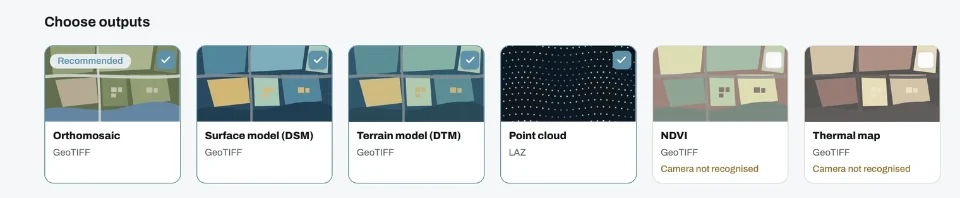
MapperTool moves the reconstruction to cloud processing nodes. You still need to upload the photographs and review the result, but you do not need a local reconstruction installation. That can be particularly convenient when mapping is one part of a wider role.
The month without a survey
An occasional workflow should be easy to resume after a gap. With a local tool, check how you keep the installation, project files and backups organised. With a cloud service, check the plan, project retention and access to results.
MapperTool's Free plan lets you evaluate suitable projects before choosing paid capacity or features. Review its current plan rules for the dataset and delivery you need. Keep your source photographs and required exports independently of online storage.
The client still needs the result
Processing is only part of the job. Test whether the recipient needs files, a report or an interactive view. Account for how you will provide that access in the local workflow rather than assuming it appears automatically with reconstruction.
MapperTool includes browser review and sharing within the project workflow. This is a useful advantage when the client needs to explore the site without installing their own viewing application.
Use one real dataset to compare both approaches from start to finish. Choose local processing when maintaining that environment suits your work. Choose MapperTool when hosted processing and a convenient client view are the stronger fit. For a broader budget discussion, see our free mapping software guide.