Seasonal drone mapping software cost is a workload question before it is a price comparison. A team may process little during one part of the year and several large datasets during another. The cheapest advertised monthly equivalent is not necessarily the best match for that pattern.
Build the budget around the months when you need processing, the size of the jobs and the period during which clients need access. Keep annual commitments separate from monthly subscriptions. A yearly payment divided by twelve describes an equivalent rate, not twelve optional purchases.
Make a calendar with three kinds of work
First, mark the expected capture periods. Use a range where weather or site access could move the dates. Second, mark the review and delivery period. Third, mark any later meetings or comparisons that require the results to remain accessible.
This separates the time when the team needs processing capacity from the time when it needs stored results. A busy capture week followed by several months of occasional review is a different requirement from continuous production.
For each active period, note the expected number of projects and the approximate images per project. Keep the two numbers apart. A plan with a cap per project limits your single largest dataset, while a plan priced by total usage depends on every project you run in a month.
Match the plan to the requested outputs
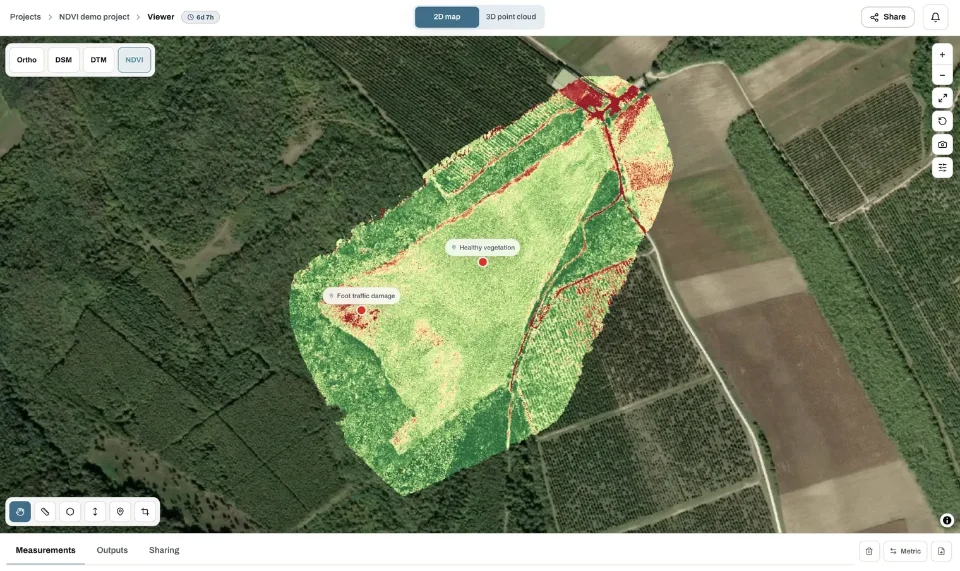
For a visual farm record, the team may need an orthomosaic and an accessible project view. Crop assessment could require suitable multispectral input and NDVI processing. Object counting introduces its own layer requirements.
MapperTool keeps these decisions within the project workflow. You select the required outputs and use the plan that supports the job's capacity and analysis needs. Check the current plans rather than assuming that the same subscription fits every part of the season.
Budget for the handover
Include the work needed to review the result, correct analysis where appropriate and deliver it. Also decide which outputs must be archived. Keeping a browser project accessible and keeping a long term copy of the data are separate choices.
MapperTool's sharing and browser tools can make routine reviews convenient for colleagues and clients. For an archive, retain the originals and download the agreed outputs while access is available. Check what happens to existing projects before changing a subscription, rather than assuming that a change leaves every deadline untouched.
Use last season to improve the next estimate
Record actual project sizes, outputs used and the number of times recipients returned to the results. Compare those observations with the plan you bought. This reveals whether capacity, storage or the review workflow drove the real requirement.
For the wider costs of local and cloud software, see our mapping software cost guide. The seasonal budget adds a different question: when does the team need each part of the service? MapperTool is worth testing when you want processing and client review in one online workflow with clear project level choices.